Installation – SmartStep

Technical specifications

Helpful tips and answers for frictionless daily use in your routine.

SmartStep Pro Incline

Use & maintenance

Helpful tips and answers for frictionless daily use in your routine.

Installation

Unpack, plug in and have your treadmill ready to start in 3 minutes.

Moovv_-_SmartStep_-_Loopband_-_Walking_Pad_-_Afstandsbediening

Download manuals

Helpful tips and answers for frictionless daily use in your routine.

Frequently asked questions

What's in the SmartStep box?

In the SmartStep package you’ll find:

  • The basics: treadmill (frame, running belt and handle);
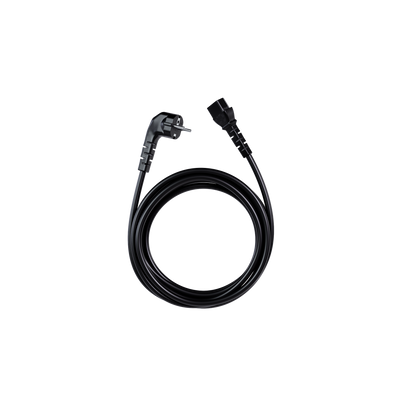
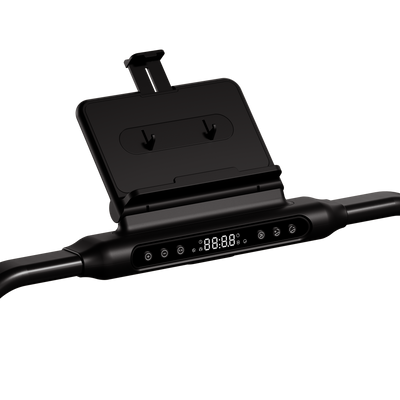
  • Accessories: iPad holder, cup holder, remote control (incl. CR2025 battery), power cable (2m) and the red safety lanyard with magnet;
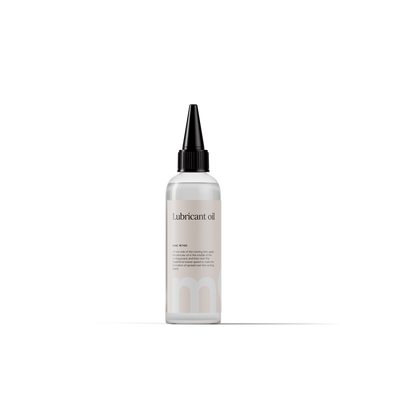
  • Maintenance & assembly: manual, a small bottle of lubricant and two Allen keys (5mm for the iPad holder and 6mm for belt tension).

How do I install the SmartStep?

The SmartStep is designed for a quick start. You'll be ready to move in under 5 minutes:

  1. Stand the treadmill upright (motor side down) and firmly tighten the front footrests;
  2. Pull the latch on the right bar out, fold the handle up, and let the latch fall back to lock it;
  3. Attach the iPad holder to the panel with the three screws and the 5mm Allen key. Snap the cup holder onto the right side of the handle;
  4. Place the magnet from the red safety cord on the yellow mark on the control panel. The belt won’t start without this contact;
  5. Plug into the power outlet and set the front on/off switch to 'ON'.

Where did the support bar under the treadmill go?

Your SmartStep may look a little different from the one in the manual. No need to worry – we improved the design. On the latest versions the bottom bar has been replaced by a reinforced inner frame and separate support feet. This makes the structure even more stable.

What are the little metal pieces sticking out under the treadmill?

Do you see small iron particles sticking out at the side? That's normal. These guides help keep the treadmill belt running neatly in the centre and prevent it from touching the incline foot. It's a sign your treadmill is properly adjusted.

The supplied power cable is too short for where I want to place my SmartStep – what can I do?

Because a treadmill draws a lot of power, we advise against using power strips or extension cords. For a safe, direct connection, we also offer longer power cables of 3 and 4 metres.

Can I plug the SmartStep into any outlet?

The SmartStep must always be connected to a grounded (3-pin) outlet. Use only the original power cable and plug it directly into the wall to prevent interference and protect the motor.

Didn't find
what you were looking for?

We're here with information, support, and genuine care. Choose the step that fits your question.

Email

Share your question or situation with us in as much detail as you like.

Chat

Get speedy answers to your questions anytime.

Call

Monday to Friday between 09:00 and 13:00.