Troubleshooting

My remote doesn’t work – what now?

In most cases the remote has lost connection with the treadmill. Follow the steps for your model to re-pair it:

  • Moov Walk/Run series: pairing only works when error code E07 is shown. Turn the treadmill on and remove the safety cord. Hold the start/stop button on the remote within 5 seconds. A long beep confirms pairing.
  • SmartStep V1 & V2
  • Try the primary method first: switch the power to ON and immediately press and hold the power button (I▶) on the remote until you hear a beep.
  • Still not working? Try the second method: remove the red safety key so error code E07 appears. Hold the middle button on the remote until you hear beeps, then reinsert the key.
  • SmartStep V3: switch the power to ON and immediately hold the Start/Stop button on the remote for 5 seconds until you hear a beep.

Still having trouble with the remote? Check the battery (CR2025) is charged and seated correctly. If the problem continues, fill in the faults form and we’ll assist you further.

My treadmill makes a strange noise. What can I do?

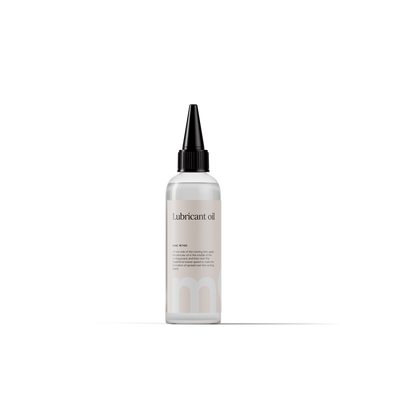
Unusual noises are usually caused by friction from a lack of lubrication. Here's how to lubricate your Moov:

  • Moov Walk / Run series: open the lubrication hole on the side of the treadmill and spray a few drops of silicone oil into it.
  • Moov (V1, V2, V3): lift the running mat and spray a little silicone oil on the underside of the belt.

After lubricating, run the belt at 1 km/h for a few minutes while you walk slowly on it to spread the oil evenly. Still hear the noise? Fill in the fault report form.

The treadmill slips, runs off-center or jerks when I use it. How do I fix this?

This usually indicates the belt is too loose. You can tighten the treadmill with the two adjustment screws at the rear. Note: always turn the screw on the side the belt is moving toward:

  1. Keep the treadmill running at low speed;
  2. Is the belt drifting to the left? Turn the left adjustment screw a quarter turn clockwise;
  3. Is the belt drifting to the right? Turn the right adjustment screw a quarter turn clockwise;
  4. Run the treadmill at low speed for 2 to 3 minutes to check the belt runs smoothly and stays straight;
  5. If needed, repeat in small steps of a quarter turn each time.
  6. Still not fixed? Report it to us using the fault report form.

I'm getting static shocks from my treadmill – what now?

Do you sometimes feel a small static shock while using it? That can happen and is harmless, but unpleasant. Prevent it with these steps:

  1. Make sure your treadmill stands on a dry surface, the area is free of dust, and the treadmill is plugged into a grounded outlet.
  2. Preferably wear sports shoes and avoid synthetic clothing that can build up static.
  3. It also helps to clean and maintain the treadmill regularly.

There are scratches on the screen. Is my display damaged?

Usually the protective film is stuck very tightly to the display. You can lift it with your fingernail; watch the video below for an example. If the screen under the film is still damaged, report it using the defect report form.

It looks like dust or grit is appearing under my treadmill – what is this?

No friction, no shine – in many cases this kind of grit comes from light wear on shoes while using your treadmill. Try using your Moov without shoes, for example by walking in socks, and see if the grit still appears. If it does, please contact us.

A part is broken or I've lost something. What now?

No need to worry – we’re happy to help find a solution. Please fill in the defect report form with a clear description and we’ll check right away what we can do for you.

The adjustable footrest doesn’t fit – what now?

That's frustrating – we’ll help. Please fill in the defect report form.

The handle lever is too tight or too loose. How do I adjust it?

Your maintenance kit includes tools to adjust the lever tension yourself. Watch the video below for the correct instructions. Turn the adjustment screw the other way if the lever needs to be tighter. Still not working? Then fill in the fault report form.

My handle has come completely off. How do I secure it?

You can fix this by re-tightening the bolt with the supplied tool. Watch the instructional video below or check the relevant page in the manual for the correct handle adjustment. Still unstable? Please fill in the defect form.

I have a different problem that isn’t listed here – what should I do?

Turn off the treadmill and unplug it. For safety, do not use it again until we can inspect the fault with you. Please fill in the fault form so we can investigate.


Didn't find
what you were looking for?

We're here with information, support, and genuine care. Choose the step that fits your question.

Email

Share your question or situation with us in as much detail as you like.

Chat

Get speedy answers to your questions anytime.

Call

Monday to Friday between 09:00 and 13:00.