Installation – Moov Walk/Run

Why is there a line on the treadmill belt?

Wondering about the stripe on the belt? No worries, that's completely normal. It's the seam where the treadmill belt was joined during production. This lets the belt run smoothly around your machine.

Where can I find the manual for my Moov?

Inside the box, you'll find a physical copy of the user manual and the warranty card. If you've lost them or would prefer a digital version, you can download the user manual here.

Manual Moov Walk
Manual Moov Walk Plus
Manual Moov Run
Manual Moovv Run Plus

How do I install my Moov?

Our new models come mostly preassembled. Follow these steps for a smooth start (see pages 82-83 in the manual for images):

  1. Placement: put the Moov on a flat, hard surface. Do not use the treadmill on high-pile carpet to keep motor ventilation clear.
  2. Damping (Run & Run Plus only): flip out the damping blocks on the underside. They must be out during use.
  3. Release handle: pull the locking lever open. The handle will tilt out slightly. Lift it until it’s fully upright.
  4. Locking: push the lever firmly back in to secure the handle.
  5. Armrests: align the left and right armrest with the mounting holes. Fasten them with the four M6*20 hex bolts using the 4 mm Allen key.
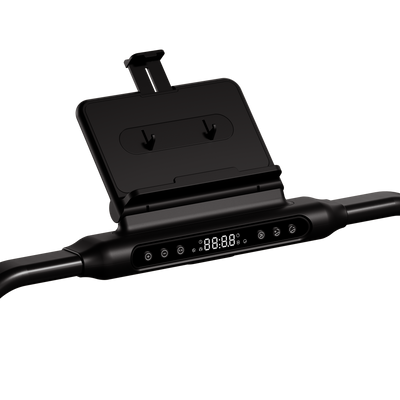
  6. Safety cord: insert the cord into the slot under the control panel and attach the clip to your clothing. Without it the treadmill shows error code E07 and won’t start.
  7. Display: remove the protective film from the LED screen.
  8. Power: plug the power cord into the front of the treadmill, then into a grounded outlet.
  9. Standby: turn on the power switch at the front.

What's in the box?

Everything you need for installation and first maintenance is in the box:

  • Hardware: 1x Moov treadmill, 1x left armrest, 1x right armrest.
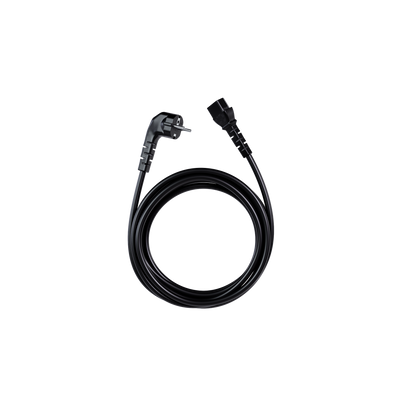
  • Accessories: 1x power cord (2 m), 1x safety lanyard, 1x remote control.
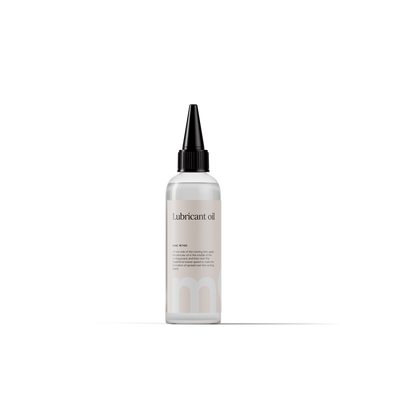
  • Installation & maintenance kit: manual & warranty card, silicone oil, open-end wrench, socket wrench and three Allen keys (4 mm, 5 mm, 6 mm).

How do I start and stop my Moov treadmill?

  • Start: in standby, briefly press the start/pause button. After 3 seconds the belt will start moving at 1.0 km/h.
  • Pause: briefly press the start/pause button during your movement.
  • Stop: hold the start/pause button to end your session.

How do I set the speed on my Moov?

  • Plus button (+): short press to increase by 0.1 km/h, hold to increase by 0.5 km/h.
  • Minus button (-): short press to decrease by 0.1 km/h, hold to decrease by 0.5 km/h.
  • Hotkeys (3 / 6), only on the Moov Walk and Run: use these to switch directly to 3 km/h or 6 km/h.

How do I select a program or set a movement goal?

  • Programs: press the P/M button to scroll through the 12 preset workouts (P1-P12) and press the start button to begin.
  • Custom goals: after P12 press P/M again to set a goal for time, distance or calories. Adjust the value with the +/- buttons and press start. The belt stops automatically when your goal is reached.

How do I pair the remote control?

Pairing is only possible when error code E07 is displayed (the safety cord is then detached):

  1. Turn the treadmill on;
  2. Remove the safety cord (E07 will appear);
  3. Press and hold the start/stop button on the remote for 5 seconds;
  4. A long beep confirms pairing. Once paired, the connection will be remembered.

The power cable is too short for where I want to place my Moov – what can I do?

A 2-metre cable is a good starting point, but sometimes you need a bit more freedom to place your treadmill. To keep the motor running safely, we don’t recommend using standard extension cords. That's why we offer special extended Moov power cables in 3 and 4 metres that plug directly into your treadmill.

Can I plug my Moov treadmill into any outlet?

Moov treadmills require a grounded outlet (3-pin). Use only the supplied plug and insert it directly into the outlet for a safe, steady power supply.


Didn't find
what you were looking for?

We're here with information, support, and genuine care. Choose the step that fits your question.

Email

Share your question or situation with us in as much detail as you like.

Chat

Get speedy answers to your questions anytime.

Call

Monday to Friday between 09:00 and 13:00.